How It Works
Products
Get Started in Just a Few Clicks
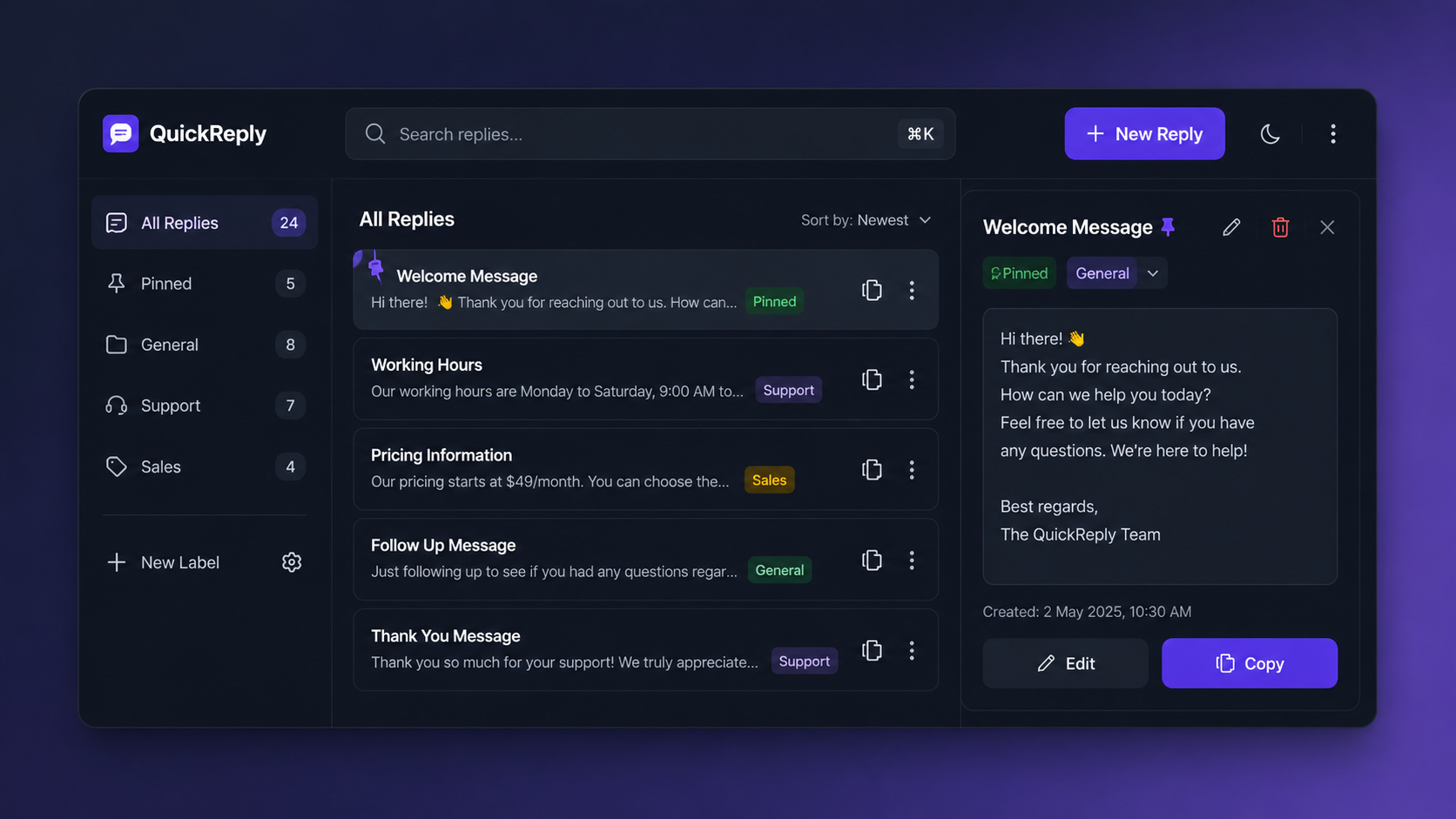
QuickReply is designed to make repetitive messaging faster and easier. Follow these simple steps to start saving time every day.
Step 1: Install QuickReply
Add the QuickReply extension to your Chrome browser and pin it to your toolbar for quick access.
What You'll Get
Instant access from your browser
Quick setup in seconds
No account required
Step 2: Add Your Replies
Save your most frequently used messages by creating new reply templates. You can also add labels to keep everything organized.
Examples
Customer support responses
Pricing information
Project updates
Frequently asked questions
Follow-up messages
Step 3: Search Instantly
Use the built-in search feature to find any saved message within seconds.
Benefits
No endless scrolling
Find messages by keywords
Access replies instantly
Step 4: Copy & Paste Anywhere
Click on any saved reply to copy it instantly to your clipboard, then paste it wherever you need.
Works With
WhatsApp Web
Gmail
Facebook
Instagram
LinkedIn
CRM Platforms
Customer Support Tools
Any website with text input
Step 5: Stay Organized
Pin important replies to the top and manage your messages with labels for a cleaner workflow.
Features
Pin favorite replies
Edit messages anytime
Delete outdated replies
Organize with labels
Step 6: Save Time Every Day
Stop typing the same responses repeatedly. QuickReply helps you respond faster, stay productive, and focus on what matters most.
Perfect For
Customer Support Teams
Sales Professionals
Freelancers
Business Owners
Social Media Managers
Ready to Reply Faster?
Install QuickReply today and start saving, organizing, and reusing your messages with a single click.